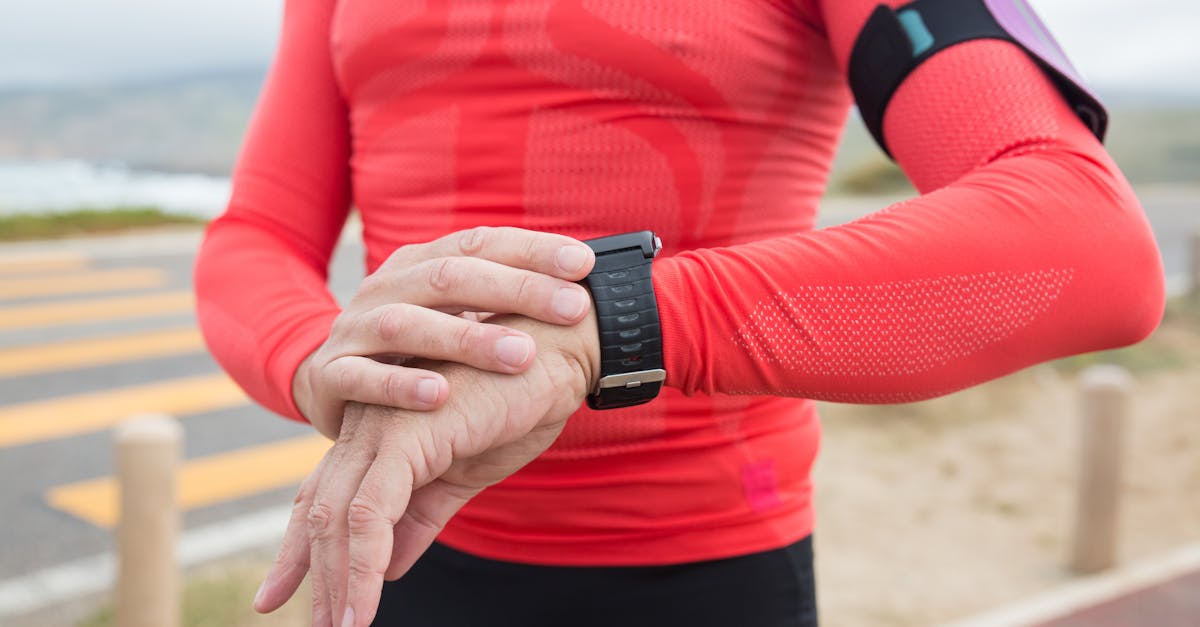
Parents who type kids fitness tracker into Google are usually asking two different questions at once. One is “will this get my child moving?” The other is “can I see where they are after practice?” Those are not the same product. A $80 activity band can win the first job and fail the second. A $250 LTE watch can pin a location on a map and still be a weak daily step coach because it dies every other night.
This is the GPS-specific comparison our kids wearables hub is too broad to settle. If you want the full activity-band landscape, start on that hub or the 2026 activity-tracker guide. If the search that brought you here was really “kids fitness tracker with GPS,” keep reading. The decision is Bounce 2 versus Ace LTE versus TickTalk versus a closed watch like Gabb — and, just as often, realizing you do not need GPS at all.
This is a research-based guide, not a lab test. Specs and plan terms come from manufacturer documentation and current retail listings. Pediatric and privacy claims are tied to published guidance. Prices and subscription fees change; use the Amazon listing for the live price before you buy.
Two kinds of GPS on a kid’s wrist
Consumer listings blur “GPS” into one checkbox. For a child, it splits into two features that look similar on a spec sheet and behave differently in a school week.
Location GPS is what most parents mean. The watch uses satellite (and usually cell/Wi-Fi assist) so a parent app can show a map pin, a last-seen timestamp, and sometimes a geofence alert when the child leaves school, the rec center, or the block you defined. That is a safety and logistics tool. It is only as good as coverage, battery, and how often the pin actually refreshes. Garmin’s current kids watch, Bounce 2, markets real-time location in the Garmin Jr. app with an active LTE subscription. Gabb’s Watch 3e documentation is more conservative: location updates on the order of every 15 minutes, with Safe Zone alerts rather than a continuously streaming dot.
Workout GPS is what a teen runner or multi-sport athlete wants: a recorded route, pace, and distance that does not depend on a phone in a backpack. That is the job of a real sport watch such as the Garmin Forerunner 55, covered in our GPS watches for young athletes and youth cross-country GPS guide. A kids LTE watch may include a GPS chip and still be a poor training logger because the software is built around “where is my kid,” not “what was the third-mile split.”
If you only need steps, sleep, and a streak, you want a fitness tracker. If you need an independent location signal on a child who does not carry a phone, you want a GPS kids watch. The older fitness trackers vs GPS watches explainer is still the right 30-second fork; this article is the 2026 product compare on the GPS side of that fork.
Who should buy a GPS kids watch
Buy location GPS when at least two of these are true:
- Your child walks, bikes, or rides a bus between school, practice, and home without an adult on the same block.
- You are trying to delay a smartphone and still need a way to say “practice ended, I’m at the south gate.”
- You will pay a monthly LTE or kids-watch plan for a season, not just the week after the box arrives.
- Someone in the house will own charging. Location watches that need a charge every 1–2 days fail in the same predictable way: the battery dies on Thursday and the watch lives in a backpack until spring.
Skip built-in GPS when the real job is habit. The CDC’s physical-activity guidance for children and adolescents is 60 minutes a day of moderate-to-vigorous activity. A coin-cell band or an 8-day Ace 3 makes that hour visible without a data plan. GPS does not make a reluctant 7-year-old more active. It tells you where the watch is.
Also skip GPS if your child already carries a phone you manage, or if the “tracker” will spend practice in a gym bag. A map pin on a locker is not a safety feature.
2026 GPS kids watch comparison
| Watch | What GPS actually does | Calling / messaging | Fitness layer | Battery (mfr.) | Recurring cost | Best fit |
|---|---|---|---|---|---|---|
| Garmin Bounce 2 | Real-time location + Safe Zone-style alerts in Garmin Jr. (LTE required) | Two-way calling, voice notes, text to approved contacts | Steps, sports apps, chores/rewards | Up to 2 days | Garmin kids plan (listed at $9.99/mo at launch) | Ages ~6–12, location + talk, Garmin household |
| Garmin Bounce (1st gen) | Live location in Garmin Jr. (LTE required) | Voice/text to approved contacts; parent-to-watch calls | Steps, activity minutes, chores | Up to 2 days with LTE | Garmin LTE plan | Same job as Bounce 2, lower hardware price |
| Fitbit Ace LTE | Built-in GPS + location sharing in the Fitbit Ace / family app (Ace Pass required) | Calls and messages to approved contacts | Motion games, activity goals, sleep | 16+ hours (Fitbit spec) | Fitbit Ace Pass | Kids who will wear a “game watch” and charge nightly |
| TickTalk 4 | GPS + Wi-Fi location | Voice and video calling; SOS | Basic activity; not a training watch | 1–2 days typical | TickTalk cellular plan | Families who want to see the child, not just ping a map |
| Gabb Watch 3e | GPS with ~15-minute updates; Safe Zones | Talk/text to parent-approved contacts; SOS | Gabb Go steps/chores | Daily charging is the practical reality | Gabb activation + monthly plan | Closed OS, no browser, US-only service |
| Fitbit Ace 3 | No onboard GPS | None | Steps, sleep, badges | Up to 8 days | None | First tracker, no location job |
| Garmin Forerunner 55 | Workout GPS (routes, pace) | Smart notifications via a paired phone, not a kid LTE plan | Real running metrics | Up to 2 weeks smartwatch mode | None | Tweens/teens who train |
Amazon prices move. Treat the table as a feature map, then confirm the live listing.
Garmin Bounce 2 — best GPS watch when location is the job
Garmin announced Bounce 2 in September 2025 as the replacement for the original Bounce: two-way calling, text, voice messaging, and real-time location through the Garmin Jr. app, plus an AMOLED display, school mode, chores/rewards, and optional Amazon Music on the watch. Garmin’s launch materials listed a $299.99 suggested price and a Garmin-managed kids plan at $9.99 per month. Current Amazon street prices have been lower than that MSRP; check the listing.
The important product fact is not the brighter screen. It is that Garmin still treats LTE as a subscription feature. Location, calling, and messaging require an active plan and coverage. Without the plan, you bought a colorful activity watch with a short battery. Budget hardware plus twelve months of service before you compare it with a $80 band.
Garmin rates battery life at up to two days, and the same sentence on the product page warns that connected features and LTE conditions cut that number. That matches how every kids LTE watch behaves: a weekend of games and location requests is not the same as a school-mode weekday.
Use Bounce 2 when you already like Garmin’s parent app, you want calling and a live-ish map pin, and you will enforce charging the way you enforce a water bottle. For the first-generation Bounce’s location behavior, Safe Zones, and messaging limits, our Garmin Bounce review still maps the parent experience; Bounce 2 is the same job with a newer radio, display, and calling story.
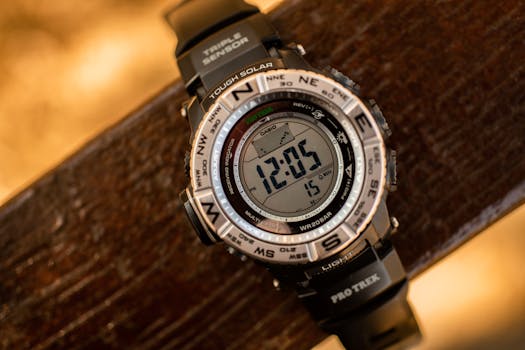 Best GPS kids watch
 Garmin
Garmin Bounce 2
Real-time location, two-way calling, Garmin Jr. parent app
Still sold: original Garmin Bounce as the value LTE pick
The first Bounce remains on Amazon and is the watch most of our older guides named. Manufacturer positioning is unchanged: durable, swim-friendly, Garmin Jr. location and messaging, LTE plan required. If you find it meaningfully cheaper than Bounce 2 and you do not care about the newer display or on-watch calling refinements, it is still a legitimate location watch. Do not buy both. One LTE subscription on one wrist is the product.
Value LTE Garmin
Garmin Bounce
Same Garmin Jr. location job at a lower hardware price
Fitbit Ace LTE — best when the search is “kids fitness tracker” and you also want GPS
Ace LTE is the only device in this group that was marketed from day one as a kids fitness tracker that happens to have LTE and GPS, not a phone-watch that added a step count. Google/Fitbit’s listing copy leads with movement-based games, activity goals, and a closed environment: no open browser, no third-party app store, calling and messaging limited to parent-approved contacts. Location sharing and cellular features require the Ace Pass data plan. Fitbit’s published battery figure is 16+ hours, with a fast-charge claim of about 11 hours in 30 minutes.
That battery number is the honest trade. Ace LTE will be charged most school nights. Families who already lose water bottles should not start here. Families whose child will treat the watch like a Tamagotchi that only feeds when they move are the target. The fitness layer is the reason Ace LTE belongs in a “kids fitness tracker” cluster; Bounce 2 and Gabb are stronger at “where is my kid,” weaker at making activity feel like a game.
Compatibility is pickier than a dumb band. Ace LTE needs a Google account, the Fitbit Ace app, and a current-enough parent phone. Read the listing’s OS requirements before you assume an older Android or iPhone will pair.
Check Fitbit Ace LTE (ASIN B0CV5T2YG6) on Amazon
If the child is 6–10 and you are still testing whether a wearable gets worn, do not start with Ace LTE. Start with the Fitbit Ace 3 review and come back to LTE after a season of actual use.
TickTalk 4 — best if you want to see the child, not just a pin
TickTalk 4 is a kids phone-watch with GPS and Wi-Fi location, two-way video calling, and an SOS control. The fitness story is secondary. If your anxiety is “I need to hear and see them at pickup,” TickTalk is the more honest match than a Garmin that sends a voice clip. If your anxiety is “I want a year of step streaks,” it is the wrong aisle.
The recurring cost is a TickTalk cellular plan, and battery life in real houses is a 1–2 day device, not an Ace 3. IP68 water resistance is the listed rating — good for splashes and many pool days, still not a reason to treat it as a competitive swim logger. For swim-specific tracking, use a swim watch from our waterproof guides rather than a video-calling GPS watch.
 Best video check-in
 TickTalk
TickTalk 4
GPS plus two-way video calling and SOS on a kids watch
Gabb Watch 3e — best closed OS, weakest “fitness tracker”
Gabb sells a different promise: no social apps, no internet browser, parent-approved contacts, Safe Zones, SOS, and a fitness/chore layer (Gabb Go) that is there so the watch is not only a phone. Amazon’s Watch 3e listing states GPS tracking that updates about every 15 minutes, IP68 water resistance, a $30 activation fee, and a required monthly Gabb plan. The watch works on Gabb’s service in the United States; it is not a bring-your-own-carrier gadget.
That 15-minute location cadence is the sentence to read twice. It is fine for “did they leave the library yet.” It is not live tracking on a bike commute. If you need a faster pin, Bounce 2 or Ace LTE with an active plan is the better GPS product. If you need the smallest software attack surface, Gabb is the better parenting product. It is a weak answer to “best kids fitness tracker” and a strong answer to “I will not hand over Instagram.”
Check Gabb Watch 3e (ASIN B0D88C3P5Y) on Amazon
When you should not buy GPS at all
The 0-click queries that land on our wearables hub include people who need a band, not a cell plan. Two products still win that job in 2026.
Fitbit Ace 3 is the no-GPS kids fitness tracker: steps, sleep, celebrations, family account, up to 8 days of battery, 50-meter water resistance. No calling. No location. No monthly fee. That is a feature. Our Ace 3 review is the deep dive; the short version is that Ace 3 is how you test wearability before you finance an LTE watch.
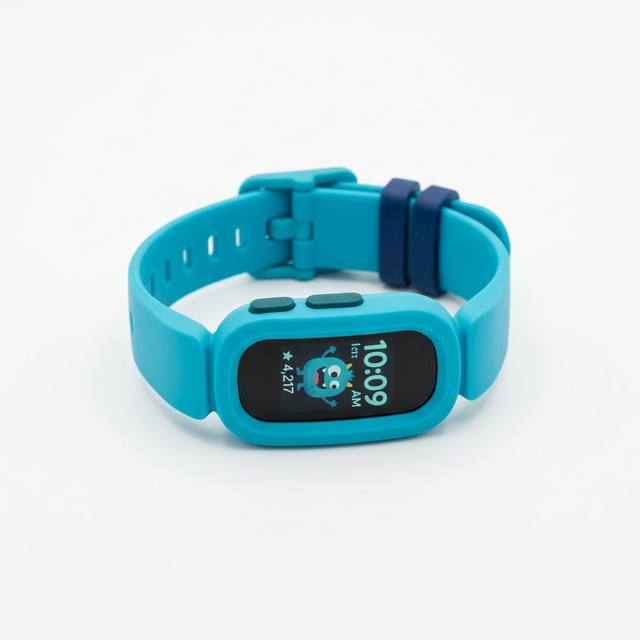 Skip GPS
 Fitbit
Fitbit Ace 3
8-day battery, kid goals, no GPS plan to forget about
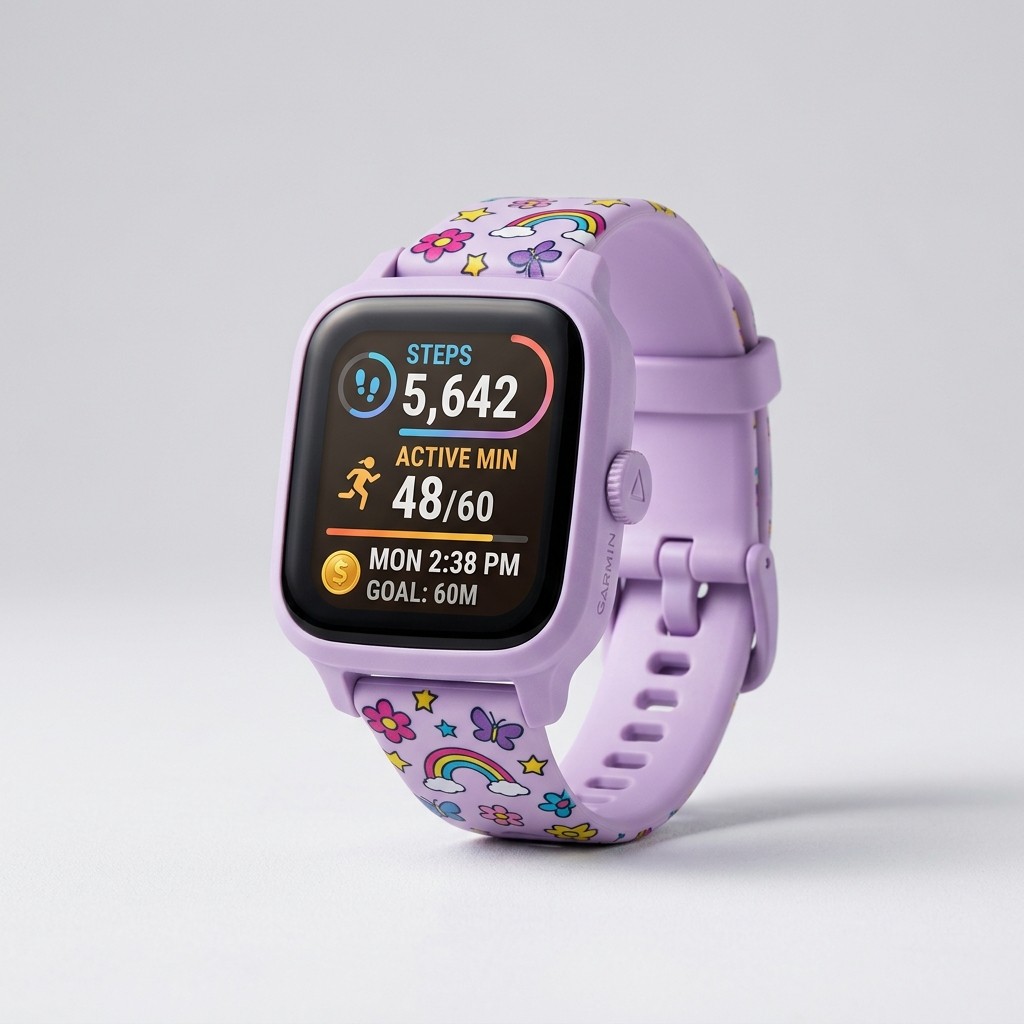
Garmin vívofit jr. 3 is the extreme version of the same idea: a user-replaceable coin cell Garmin rates around a year, swim-friendly, chores and adventure unlocks in the parent app, no GPS, no calling. If charging is the reason every previous wearable died, this is the device. Details and caveats live in the youth activity-tracker roundup and the sleep-tracking wearables guide.
Garmin
Garmin vívofit jr. 3
Year-class coin-cell battery; chores and steps, no LTE
A plain band also avoids most of the screen-time argument. The AAP’s media-use guidance for children and adolescents is about phones and open internet more than step counts, but an LTE watch is a screen you strap on. If your household rule is “no extra glowing rectangle,” buy Ace 3 or vívofit jr. 3 and stop.
Teen athletes need workout GPS, not a kids LTE watch
Around 11–14, the product that was right for the walk to the bus is wrong for cross-country or club soccer. Kids LTE watches are styled and permissioned for elementary school. Teens will not wear a cartoon OS, and coaches do not care about your geofence.
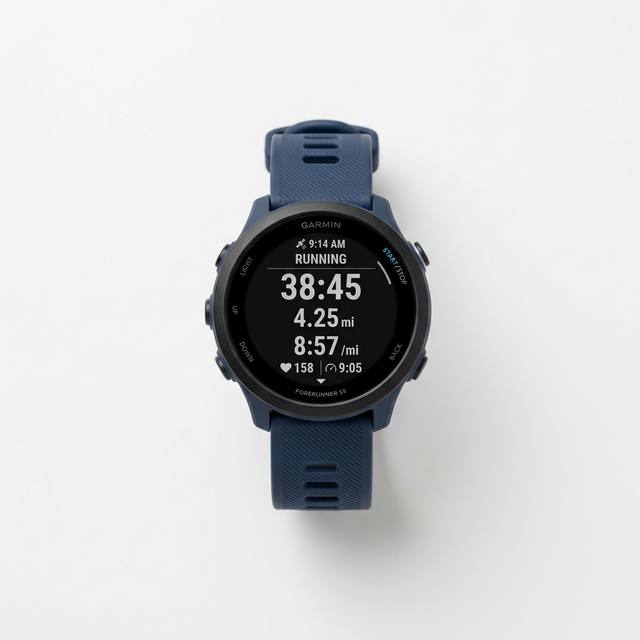
For that child, a Forerunner-class watch is the GPS you want: onboard workout GPS, wrist heart rate, long battery, no kids-carrier plan. The Forerunner 55 is the site’s default recommendation for that step-up — simple enough to use, serious enough to log a season. Read the GPS fitness trackers for youth athletes roundup if you are comparing Garmin against an Apple Watch, and the cross-country / track GPS guide if the sport is running.
 Teen training GPS
 Garmin
Garmin Forerunner 55
Workout GPS and multi-week battery; no kids LTE plan
Apple Watch SE with Family Setup is the other teen path: Activity rings, workout GPS, Schooltime, location sharing, optional cellular on an Apple Watch plan. It is the most capable watch in this article and the worst first device for a 7-year-old. Battery is about a day. Cost is hardware plus a line. For the ecosystem decision, use Garmin vs Fitbit vs Apple for kids rather than treating SE as a Bounce competitor.
What a GPS kids watch actually costs
Sticker price is the smaller number. A useful 12-month total looks like this:
- Band, no GPS: Ace 3 or vívofit jr. 3. You pay once. Replacement bands are the only likely extra.
- LTE kids watch: hardware ($150–$300) + activation (Gabb lists $30) + 12 × monthly plan. Garmin’s Bounce 2 launch plan was $9.99/month. Ace Pass and TickTalk/Gabb plans vary and change. Twelve months at $10 is $120, which is another Ace 3 — or most of a Forerunner 55 on sale.
- Apple Watch cellular: hardware + a watch line on your carrier. That is a phone-adjacent bill.
If you are not sure you will keep paying the plan, you will not keep using the GPS. Buy the band.
Also budget lost-device risk. A GPS watch is easier to find while the battery and plan are alive. After it dies in a leaf pile, it is just a $200 brick. Name labels and a charging dock in the kitchen matter more than a third sport mode.
Privacy, COPPA, and school rules
A location watch is a sensor package attached to a child. In the United States, services directed at children are in scope for the FTC’s COPPA rule. Prefer parent-account architectures (Garmin Jr., Fitbit family/Ace, MyGabb, Apple Family Setup). Read the family privacy settings before the watch leaves the house: who can see location, who is on the contact allow-list, whether the child can add friends, and whether school mode actually silences everything except you.
Practical rules that survive any brand:
- Share location with family, not a friend graph.
- Do not buy a watch with an open browser because “they might need maps.” They need you, or a paper pickup plan.
- Ask the school whether wearables are allowed on the wrist during the day. A GPS watch that must live in a backpack from 8:15 to 3:10 is a location device only on the walk home.
COPPA compliance is not the same thing as “no data collection.” It is a set of notice-and-consent rules. You still decide whether a vendor should have a moving breadcrumb of your child.
Battery is the feature that decides whether GPS exists on Friday
Location radios are expensive. That is why the longest-lived kids trackers do not have onboard GPS, and why every LTE watch in this article is a 1–2 day device when you actually use the features you paid for.
If you remember one ownership rule: charge on a schedule you already keep. Plug-in next to the toothbrush beats “charge it when it’s low.” Kids do not manage a 16-hour battery. Parents who already run a multi-device household can handle Ace LTE or Bounce 2. Parents who are buying a tracker so they have one fewer thing to nag should buy vívofit jr. 3.
Workout GPS on a Forerunner is the exception. Garmin’s multi-day and multi-week figures assume you are not streaming LTE all afternoon. That is why the teen sport watch and the elementary location watch should not be compared on battery as if they were the same radio.
How to choose in one screen
Ages 5–8, habit only. Ace 3 or vívofit jr. 3. No GPS. See the activity-tracker guide.
Ages 7–12, independent route, delay the phone. Bounce 2 if you want the most complete Garmin Jr. location-and-call package. Ace LTE if the child will actually play the movement games and you will charge nightly. TickTalk 4 if video calling is the point. Gabb 3e if a closed OS matters more than a fast map pin.
Ages 11+, club sport or running. Forerunner 55 or another sport watch from the youth GPS tracker guide. Optional: keep a cheap band for the younger sibling.
Apple household, teen, already paying for a watch line. Apple Watch SE with Family Setup. Not a first elementary watch.
You only searched “kids fitness tracker” because Google suggested it. Start at the wearables hub, not at LTE.
Heart rate: useful later, easy to misuse now
Most kids GPS watches either omit wrist heart rate (classic Bounce) or include a consumer optical sensor that is fine for “were they moving hard” and poor for clinical decisions. Kids’ resting and max heart rates run higher than adult tables. If you are buying a sensor because a physician asked for exercise limits, that is a medical device conversation, not a Bounce 2 conversation.
When heart rate is actually on the table — overtraining, a diagnosed condition, a teen who trains most days — use the parents’ heart-rate monitor guide, the chest strap vs wrist accuracy piece, and the free heart-rate zone calculator. For easy aerobic work, the shorter Zone 2 wrist vs chest strap guide is enough. Do not pick a kids LTE watch because it advertises BPM. Pick it for location or for games.
Frequently asked questions
Is a GPS watch the same thing as a kids fitness tracker? No. A kids fitness tracker counts movement and usually sleep. A GPS kids watch adds location (and often calling) and almost always a monthly plan. Some devices, notably Ace LTE, try to be both. Most are better at one job.
What is the best GPS watch for kids in 2026? For parent location plus calling on a purpose-built kids device, Garmin Bounce 2. For a fitness-first LTE watch, Fitbit Ace LTE. For video check-ins, TickTalk 4. For a locked-down OS, Gabb Watch 3e. For a teen who trains, Forerunner 55, not a kids LTE watch.
Does my child need GPS on a fitness tracker? Only if you need location or independent workout routes. GPS is the first reason kids’ wearables start needing daily charging and a subscription. If the goal is the CDC’s hour of activity, a band is enough.
How accurate is kids-watch location? Open sky (fields, suburbs) is usually good enough to confirm “at the complex, not at the creek.” Indoor gyms, downtown blocks, and thick tree cover degrade every consumer GPS radio. A 15-minute Gabb update and a “real-time” Garmin pin are different products; neither replaces a pickup plan.
Will a GPS watch replace a phone? For approved-contact calling and a map pin, yes, that is the pitch. It will not replace a phone for homework portals, group chats, or maps with an open browser — and you should not want it to.
What age is appropriate? Most kids LTE watches are aimed at roughly 6–12. Readiness matters more than birthday: can they keep a $200 object on their wrist and bring it to the charger? If not, buy Ace 3.
The bottom line
The live search cluster that keeps hitting our wearables category is “kids fitness tracker,” but the 0-click problem is that the hub has to speak to bands, LTE watches, and teen sport GPS at once. If you need location on a child who does not have a phone, start with Bounce 2, and look at Ace LTE only if the fitness-game layer is why the watch will stay on. If you need video, TickTalk. If you need no internet, Gabb. If you need steps, do not buy GPS.
When the child outgrows cartoon OS and starts training, leave this page and use the young-athlete GPS watch guide plus the heart-rate parents’ guide. The right 2026 purchase is the least connected device that does the actual job.
Related guides
- Best fitness trackers for kids — wearables hub
- Garmin Bounce review
- Fitbit Ace 3 review
- Fitness trackers vs GPS watches
- Best GPS watches for young athletes
- Best GPS fitness trackers for youth athletes
- GPS watches for youth cross-country and track
- Heart rate monitors: a parents’ guide
- Garmin vs Fitbit vs Apple Watch for kids
How we evaluate: We combine manufacturer documentation, independent user feedback, and parent-focused criteria like safety, durability, ease of use, and long-term value.
Accuracy note: Pricing and product availability can change. Verify details on the retailer site before purchase.
Affiliate Disclosure: Sports Gadget Review is a participant in the Amazon Services LLC Associates Program. When you purchase through links on this page, we may earn a commission at no extra cost to you. Editorial recommendations are made independently.