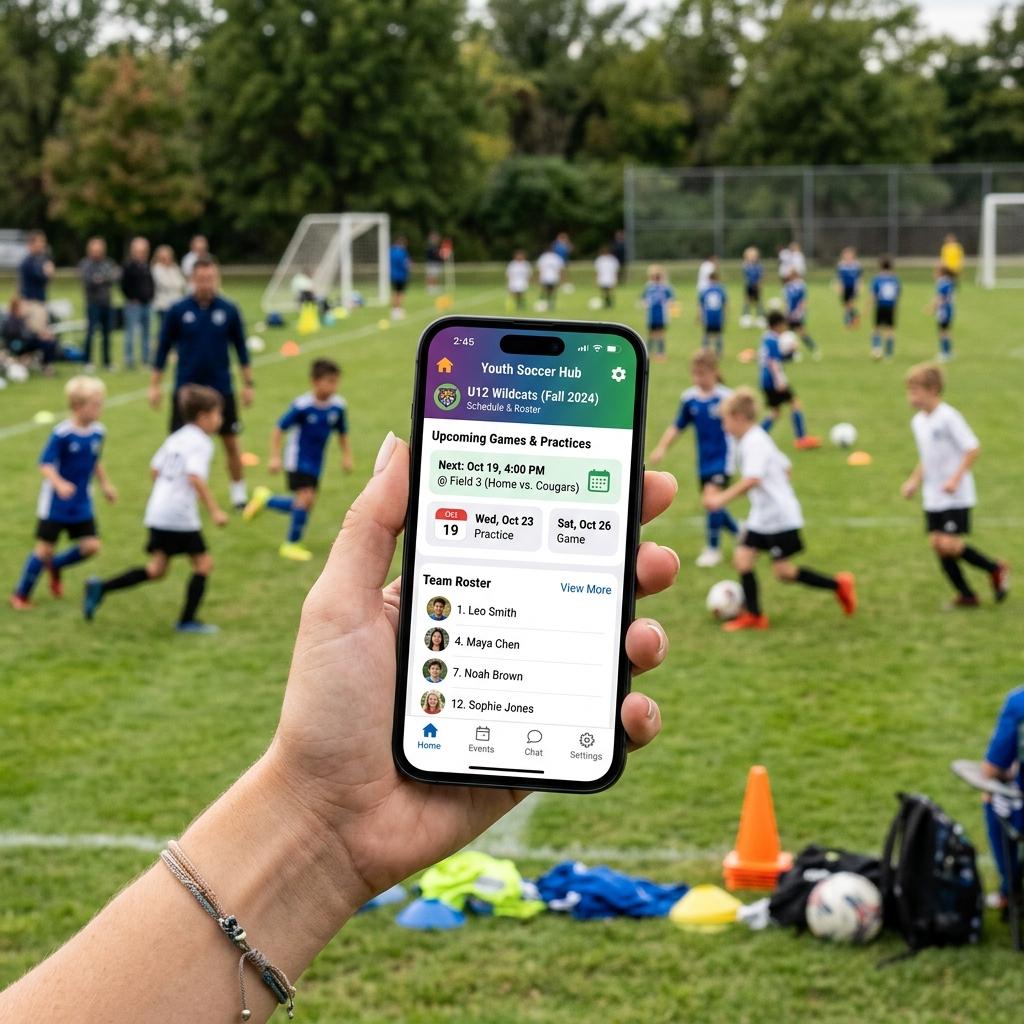
Most rec and travel teams do not need one “everything” app. They need a calendar parents will actually check, an RSVP so the coach knows who is coming, and — only if someone will score every game — a stats tool that does not eat the sideline. TeamSnap is still the default for scheduling and parent messages. GameChanger is the default when live scoring and season stats are the job. Hudl is team film, not a practice-clip app, and it is a skip for casual rec.
This is a research desk comparison of what each vendor publishes and what coaches complain about after week three — not a claim that this desk ran seven seasons on every roster. Stat-by-stat scoring lives on youth sports scorekeeping apps. Technique review lives on video analysis apps. Sideline radios are a different aisle: team communication devices.
Listing check: App Store and Google Play “youth sports team app” results mix TeamSnap, TeamLinkt, SportsYou, Heja, Spond, league-mandated SportsEngine, and leftover school portals. Confirm (1) the league did not already assign a platform, (2) you are installing the current vendor app and not a clone with the same screenshot, and (3) a “free” listing is not a paid club portal. Street prices and plan names move; treat any dollar figure here as a listing check, not a lock.
Who should buy this — and who should skip
Parents. If the league already handed you SportsEngine, GameChanger, or a school SportsYou login, do not add a second family app “just in case.” Use the assigned one. Buy nothing.
Coaches / team managers. One logistics app for the roster. Add a scoring app only if a dedicated parent will tap every play. Add film software only if someone films every game and players will watch clips.
Skip first. Skip Hudl (or any season film plan) for 6–8-year-old rec. Skip paying TeamSnap Premium if the free tier already handles calendar + messages and the roster is small. Skip a live-stat app if nobody will sit and score — empty GameChanger seasons are how families decide “apps don’t work.” Skip any app that forces every grandparent to create an account before they can see the Saturday field address.
If you are still deciding whether any gadget belongs in the house this season, start with the youth sports tech buyer’s guide. Browse the team gadgets hub.
What a youth team app actually has to do
Youth teams are not college programs. The must-haves are boring:
- A shared schedule that syncs to Google, Apple, or Outlook
- RSVP / availability so the coach is not texting 14 people at 7:40 a.m.
- One message thread parents can find without a new login every week
- A place for the field address, snack duty, and the rain-out
Nice-to-have, not first-week:
- Live scoring and season stats
- Game film tagging
- Volunteer and carpool tools
- League brackets (that is usually SportsEngine or the operator portal, not the team app)
Deal-breakers:
- Apps that hide the schedule behind an account wall for every adult
- Paywalls on “send a message to the team”
- Desktop-first tools a coach cannot run from the parking lot
Best overall logistics: TeamSnap
TeamSnap is the default youth team calendar. The company markets a free single-team start and paid upgrades that unlock availability tracking, larger rosters, and extra staff tools. Club and league pricing is a sales conversation, not a public SKU.
What the listing will not tell you. The free tier is enough when the job is “when is practice and who is out.” The upgrade is for RSVP discipline and bigger travel rosters. If the league already runs SportsEngine, TeamSnap is a team overlay — not a replacement for registration.
Buy it when parents will not reliably check a group text, or the coach is tired of “what field?” messages.
Skip it when the operator already assigned SportsEngine or GameChanger as the only official channel. A second app is how half the roster goes dark.
Pricing: TeamSnap’s public team page is “$0 to start,” then a paid upgrade. Third-party roundups quote Premium around the mid-teens per month per team if you pay monthly, less if you pay a year. Confirm the current plan on TeamSnap’s pricing page before you split the bill. Do not treat an old “$13/month” screenshot as a lock.
Best for live stats: GameChanger
GameChanger (DICK’S Sporting Goods) is the youth scoring standard, strongest in baseball and softball, with scoring for basketball, soccer, football, lacrosse, hockey, and volleyball. Scoring a game and following as a fan are free. Paid Plus / Premium plans and Team Passes unlock live-stream viewing extras, deeper post-game stats, and season archives for the people who want them.
What the listing will not tell you. Someone has to score. If the head coach is also the scorekeeper, the box score dies in the third inning. GameChanger’s baseball interface is the reason families stay. Basketball and soccer scoring is useful and thinner.
Buy it when a parent will score every game and families want a live GameStream. Baseball/softball first.
Skip it when the team only needs a calendar. Use TeamSnap or the league portal. Paid Team Passes ($200-class Plus / $400-class Premium per season on GameChanger’s current plan finder) are a fan access buy, not a rec-league requirement. Confirm on GameChanger’s plan finder.
The scoring-vs-scheduling split is unpacked on scorekeeping apps.
Best for team film: Hudl (and when it is overkill)
Hudl is the high-school and college film locker: upload, tag, draw, share playlists. It is not the old Hudl Technique phone app. Technique was sold and shut down in 2021. If an App Store leftover or a blog still says “Hudl Technique is the free analysis app,” close it and use the video analysis apps page.
Buy Hudl when a competitive travel or high-school staff films every game and players will watch assigned clips.
Skip Hudl when you wanted a parent phone, a $25 tripod, and slow-motion of ten swings. That is OnForm, Kinovea, or the camera already in the pocket — not a season film seat.
Hudl youth/season pricing is quote-driven and sport-specific. Treat any “starts at $150” line as stale until you see a current invoice.
Capture hardware is a different cart: youth game film cameras and streaming / game-film tech.
League already picked SportsEngine
SportsEngine is the club/league layer: registration, divisions, refs, standings. NBC Sports / SportsEngine sells to operators, not to a single rec coach who wants a snack schedule.
Use it for league stuff if that is what the club issued.
Do not fight it with a second registration app. If the team still needs a cleaner parent chat, some coaches run TeamSnap alongside SportsEngine. That only works if you say out loud which app is official for cancellations.
Free comms: Heja, or a calendar plus a group
Heja is the free “chat + RSVP + photos, no player-stat profiles” option. Good for rec teams that will never score a pitch.
Google Calendar + a shared Sheet + a WhatsApp or GroupMe thread still covers short rec seasons with 10–15 families. It fails when nobody owns the Sheet and the thread turns into photos of someone’s dog.
Buy a paid team app when the free thread is already the problem. Skip paying because a marketplace listing said “#1 coaching app.”
Two-app setup that actually survives week eight
- TeamSnap (free tier first) for schedule, RSVP, and the one message parents must see
- GameChanger (free scoring) only if a named scorekeeper exists
Total software cost can stay $0. Add Hudl or a paid GameChanger Team Pass only after film or fan extras are a real job.
Parent-vs-coach: parents install what the coach names. Coaches name one official channel in the first parent meeting and stop answering schedule questions anywhere else.
Comparison (jobs, not stars)
| App | Job | What you pay for | Skip if |
|---|---|---|---|
| TeamSnap | Calendar, RSVP, parent messages | Paid unlocks availability / bigger roster tools | League already assigned a different official app |
| GameChanger | Live score + season stats | Scoring is free; Plus/Premium/Team Pass are fan and archive extras | Nobody will sit and score |
| Hudl | Team game film | Season/program quote | Rec team that films twice a year |
| SportsEngine | League registration and standings | Operator / club contract | You only needed a snack schedule |
| Heja or Google | Free chat + calendar | $0 | 20+ families and multiple divisions |
No star ratings. An app that the roster ignores loses to a boring calendar they open.
Frequently Asked Questions
Can one app do scheduling and stats?
TeamSnap comes closest on logistics and is thin on sport-specific scoring. GameChanger scores well and is weaker as the only parent-comms tool. Most coaches who care about both run two apps. That is not a failure. It is two jobs.
Do parents actually use these?
They use the one place the coach will not repeat the field address. Introduce it once, send a two-step install card, and make it the only official channel. Invented “92% adoption” claims are marketing, not a desk measurement.
Which app is best for baseball?
GameChanger for scoring. TeamSnap or the league portal for the calendar. iScore is the deep scorebook alternative on the scorekeeping page.
Are these apps safe for kids?
TeamSnap and GameChanger publish COPPA-oriented youth policies. Still: keep chat coach-to-parent. Put kids on schedule notifications, not group chat. Do not upload extra photos the club did not ask for.
What about TeamLinkt or SportsYou?
TeamLinkt is a TeamSnap-class competitor some clubs pick. SportsYou shows up in school-athletic settings. If the school or club already issued one, that is the official app. Do not run a third.
Related
How we evaluate: We combine manufacturer documentation, independent user feedback, and parent-focused criteria like safety, durability, ease of use, and long-term value.
Accuracy note: Pricing and product availability can change. Verify details on the retailer site before purchase.
Affiliate Disclosure: Sports Gadget Review is a participant in the Amazon Services LLC Associates Program. When you purchase through links on this page, we may earn a commission at no extra cost to you. Editorial recommendations are made independently.